Planet Coaster 2 PS5: Editions, Features, and Controls
Explore Planet Coaster 2 PS5 editions, water parks, controller tips, and cross-platform sharing. Learn what to expect before building your next theme park.
Jump to
Is Planet Coaster 2 Available on PS5?
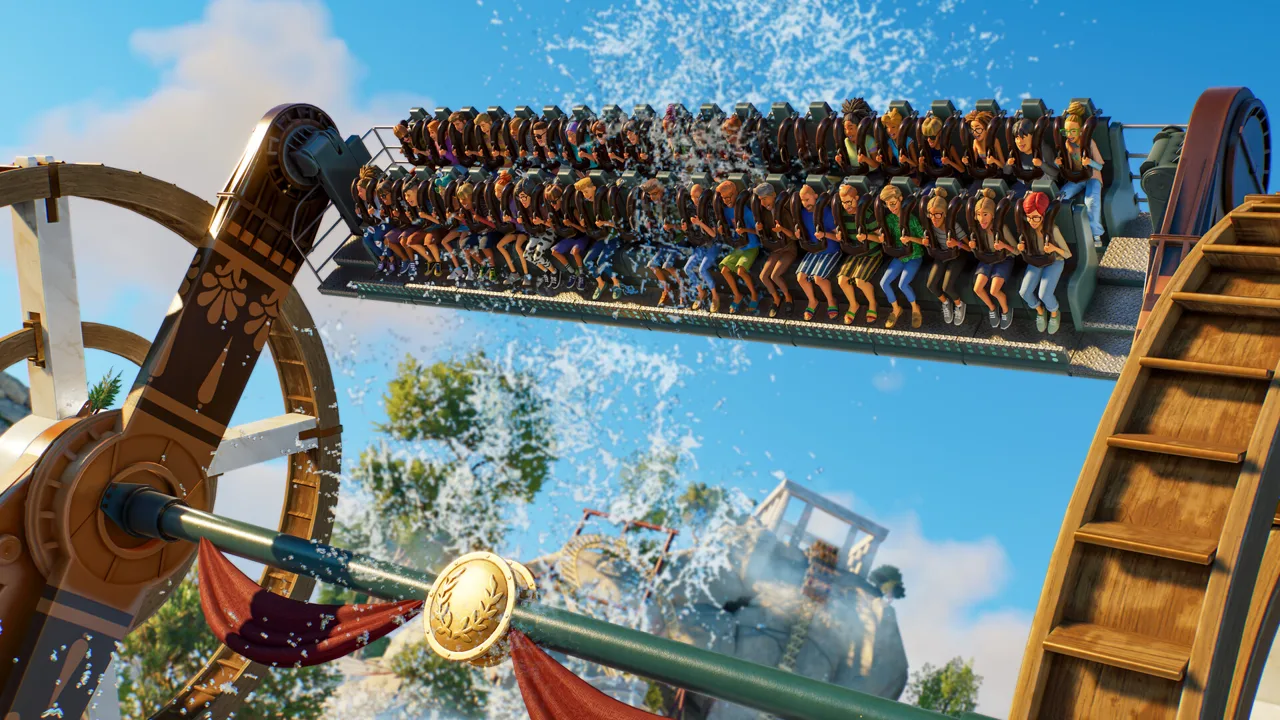
The Planet Coaster 2 PS5 edition puts roller coaster design, water park construction, and park management on your console. You can build custom attractions piece by piece, keep guests happy, and exchange creations across platforms. The extra water park systems also give you more to manage, from pool facilities to lifeguard coverage.
Here are the essentials:
- Release date: November 6, 2024.
- Developer and publisher: Frontier Developments.
- Players: One player, with optional online features.
- Console enhancement: PS5 Pro Enhanced.
This is the sequel to the original Planet Coaster, with improved construction tools, swimming pools, water slides, and shared park-building features.
Standard vs. Deluxe Edition
The main difference between the two editions is the included ride pack.
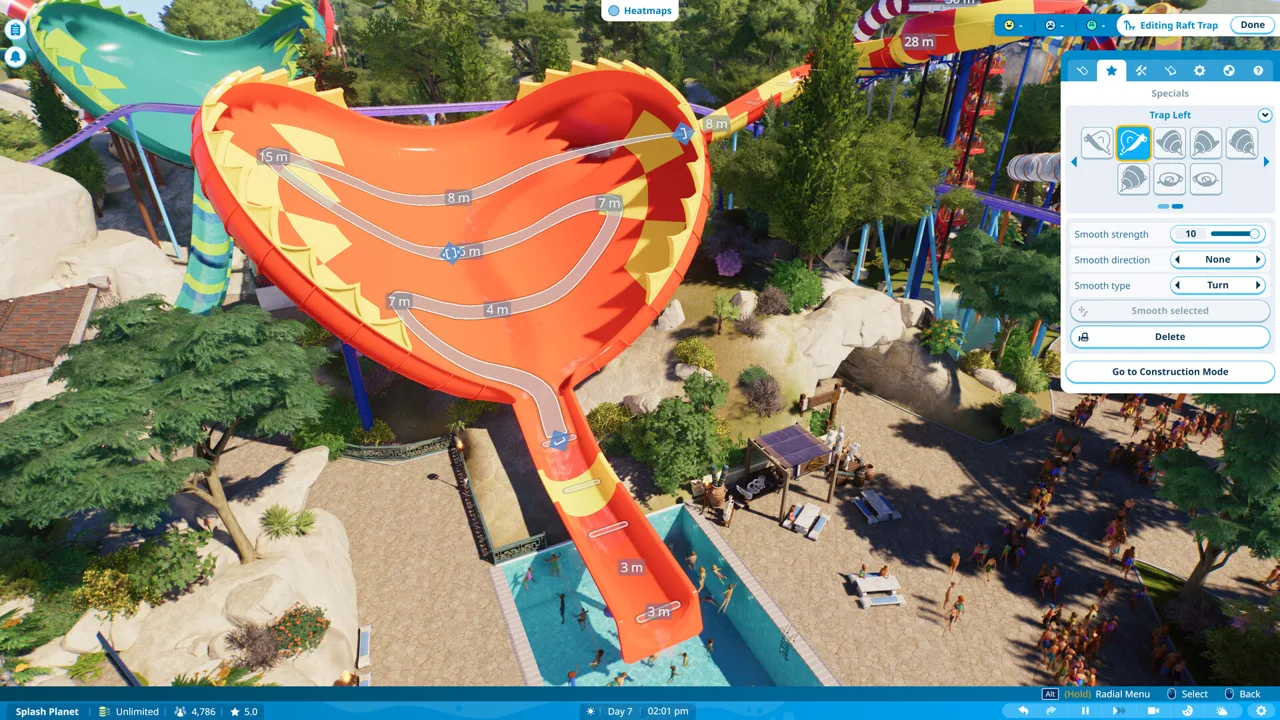 Image: Steam / Frontier Developments
| Edition | Included content |
|---|---|
| Standard Edition | Planet Coaster 2 |
| Deluxe Edition | Planet Coaster 2 and the Vintage Funfair Ride Pack |
The Vintage Funfair Ride Pack contains ten vintage rides. Deluxe adds those attractions to your building options; the base game already includes coaster construction, water parks, and the main game modes.
The US Standard Edition promotion offers the game for $16.99, reduced from $49.99, with the offer scheduled to end on 11/5/2026 07:59 AM UTC.
Compare the included content and purchase options on the Planet Coaster 2 PlayStation page. Choose Deluxe if you want the vintage attractions, and check individual add-on descriptions before buying additional packs.
PS5 Controls: Learn the Menus Before Building Big
Construction involves moving between attraction categories, object editing, track tools, and management panels. Camera movement is only part of the learning curve: placing a ride and adjusting its individual components use different layers of the interface.
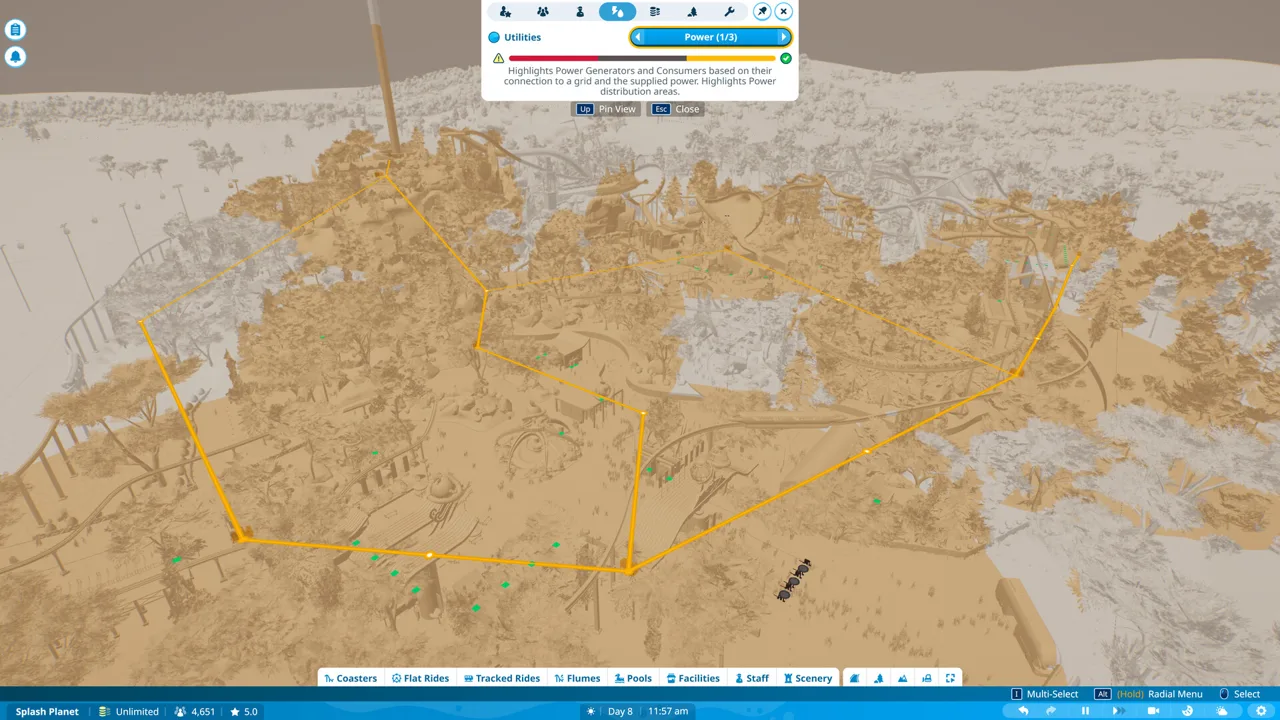 Image: Steam / Frontier Developments
Use L1 and R1 to navigate category tabs. Pay attention to contextual button prompts as you move between tools, since some controller actions distinguish between pressing and holding a button.
Start with a ride blueprint before attempting a custom coaster. Connect its entrance and exit, supply power, and work through testing and opening it. That gives you a manageable way to learn the interface before adding track design to the job.
Keep your first construction project small. Practice selecting a building, entering its editing tools, and adjusting scenery around it before decorating an entire park.
The PS5 version is PS5 Pro Enhanced and requires the controller’s vibration function.
Building Coasters, Pools, and Water Slides
The sequel’s construction tools let you combine traditional theme park attractions with a water park. You can shape terrain, create plazas, lay paths, and build pools alongside custom coasters and twisting flumes.
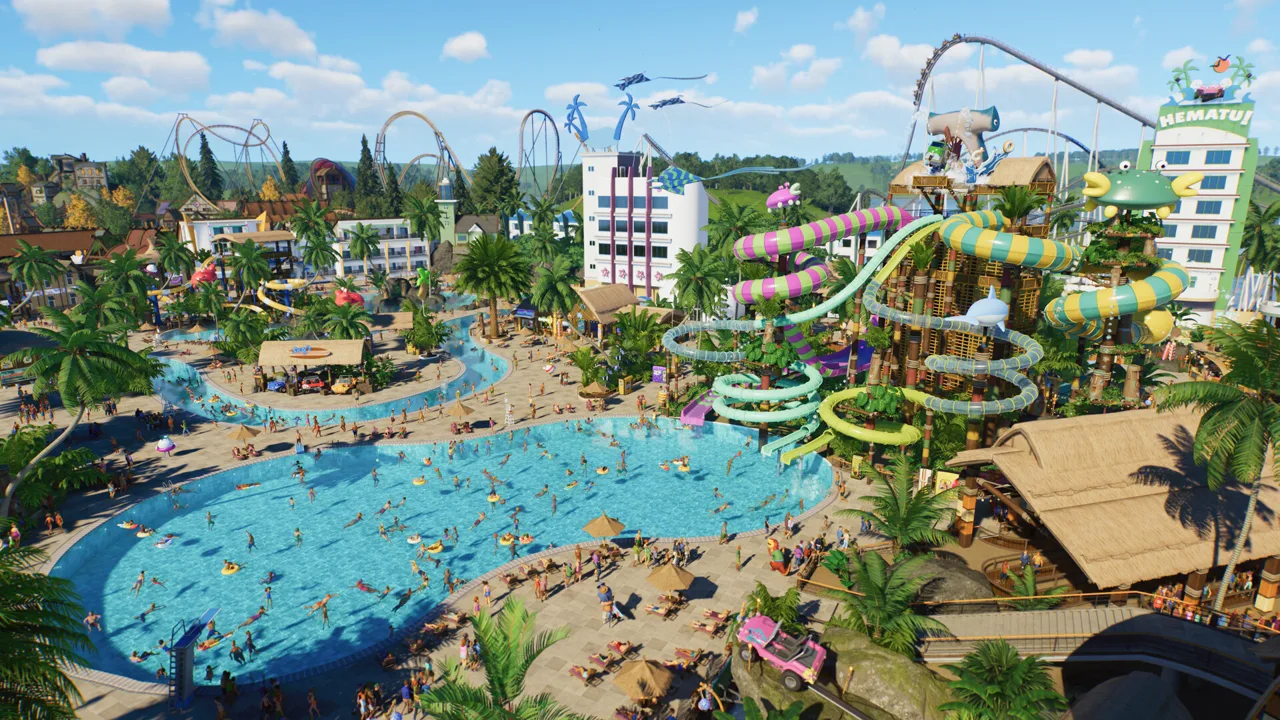 Image: Steam / Frontier Developments
Scenery customization extends to the rides themselves. Scalable objects can be attached directly to attractions, giving you more control over their appearance than simply decorating the surrounding ground.
Use these tools with a specific project in mind:
- Adapt a blueprint: Place an existing coaster design, then customize its scenery and surroundings.
- Build a themed area: Carry a consistent style across rides, paths, shops, and nearby pools.
- Sequence effects: Use the event sequencer to coordinate attraction effects with ride moments.
- Test custom tracks: Review excitement, fear, and nausea before opening your design.
For water slides, test the complete route before welcoming guests. For pools, plan the supporting facilities alongside the swimming area so you have room for changing rooms, shade, and lifeguards.
Career, Sandbox, and Franchise Modes
Career mode gives you scenarios with objectives, including repairing troubled parks and restoring attractions. It introduces construction and management systems through specific tasks, with research unlocking additional rides as you progress.
Sandbox mode lets you adjust settings to shape the challenge. Use it to experiment with coaster layouts, pool shapes, scenery, or a full park concept.
Franchise mode adds collaboration around a theme park empire and competition through worldwide leaderboards.
Choose Career to work through structured objectives. Use Sandbox to practice a construction tool or develop a design without committing to a scenario’s goals. Coordinate with friends in Franchise when you want to work toward a shared park-building project.
Cross-Platform Sharing and Building With Friends
Shared park building is asynchronous: players take turns working on a shared cross-platform save. Sandbox and Franchise support this approach, so coordinate who will handle each part of the park before handing it over.
For example, divide the project between coaster construction, water attractions, and scenery. Agree on the overall layout so each person’s additions fit the same park.
The Frontier Workshop also lets you upload and download coasters, rides, and complete parks across platforms. You can access creations in-game and online, then explore other players’ parks from a guest’s first-person perspective.
Download a blueprint when you want a starting point for a particular attraction. Study how its paths, scenery, and ride components fit together before adapting the design to your own park.
Managing Your First Water Park
Water attractions bring additional guest needs. Swimming pools need water and filtration, while visitors need changing rooms, sunscreen, shade, and lifeguard coverage.
Plan those systems before expanding the pool area. Include staff facilities in the layout, and account for breaks when assigning workers to attractions.
Use heat maps to inspect needs across the park, then select individual guests to investigate specific complaints. Check the relevant system before adding more buildings:
- Power problems: Inspect generators and distribution coverage.
- Pool needs: Review water, filtration, and supporting facilities.
- Guest discomfort: Look at shade, sunscreen, and nearby amenities.
- Staffing gaps: Review assignments, schedules, and break coverage.
When an attraction struggles, inspect its entrance, exit, and path connections before redesigning the ride. A detailed coaster still needs a working route for guests to reach it.
Continue with
 Planet Coaster 2 System Requirements: Can You Run It?Compare Planet Coaster 2 system requirements for CPU, GPU, RAM, and storage. Check your PC specs and explore console and cloud options before you buy.
Continue exploring
Planet Coaster 2 Tips: Build Faster and Manage Better
Explore Planet Coaster 2 tips to build faster, plan paths, manage guest needs, improve ride capacity, and create detailed parks with less repetitive work.
Planet Coaster 2 Suspended Coaster: Models & Build Tips
Find your Planet Coaster 2 suspended coaster, compare Vector models and Toybox Pack content, and plan smoother inversions, scenic layouts, and supports.
Join the community
Official channels for news, updates and player help: