Build twisting roller coasters, connect pools and water slides, and shape a theme park of your own. Balance your budget with guest comfort, then share your rides and parks through Frontier Workshop.
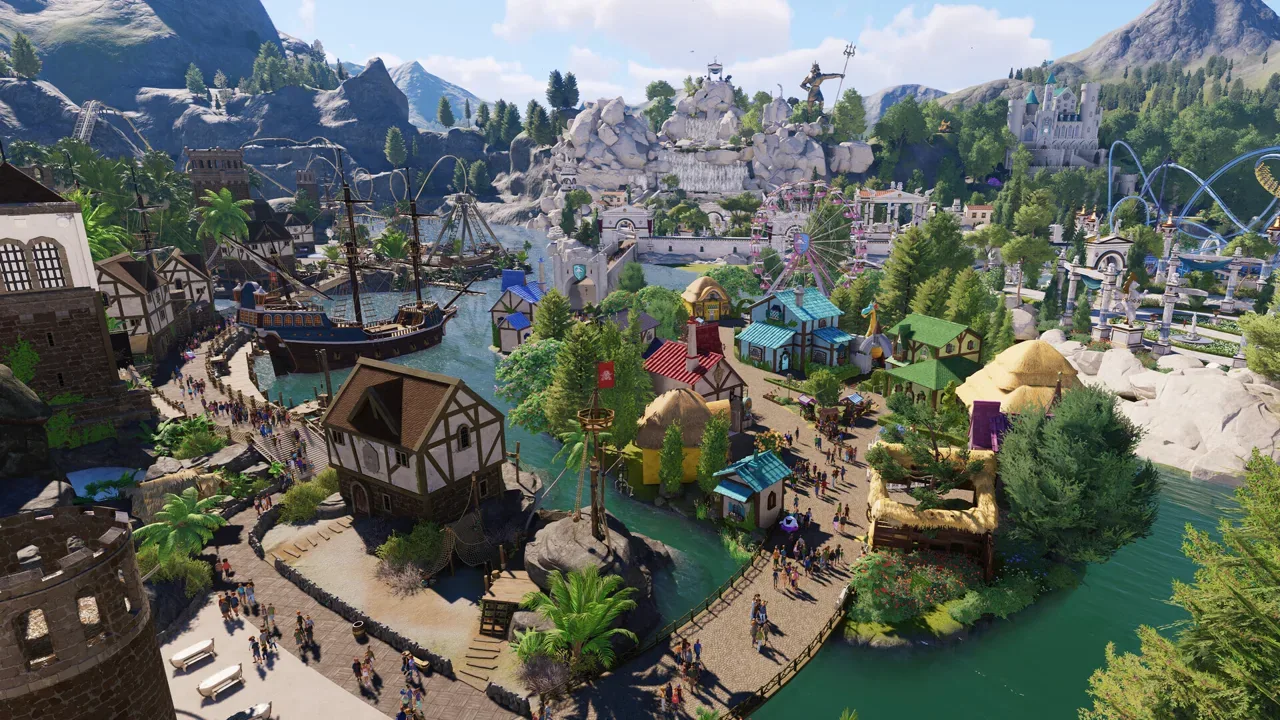
Planet Coaster 2 is a theme park building and management simulation developed and published by Frontier Developments. Build roller coasters, swimming pools, and water slides, then connect them with paths, plazas, and themed scenery.
Manage your budget, attraction power, and guest well-being while using heat maps to inspect your park's needs. Take turns building shared Sandbox parks, collaborate in Franchise Mode, and exchange rides and complete parks through the cross-platform Frontier Workshop.
Get familiar with the building tools, park management systems, and guest feedback before expanding your park. Learn how rides, paths, amenities, and budgets fit together.
Building Basics
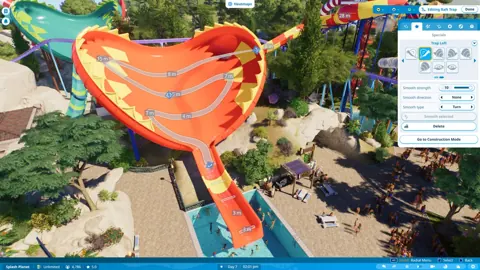
Build rides, shape terrain, and use the pathing tools to create paths and spacious plazas.
Park Operations
Balance your budget with powered attractions and amenities that support guest needs.
Guest Feedback
Use heat maps to inspect park needs, then select individual guests to see how their group is enjoying the visit.
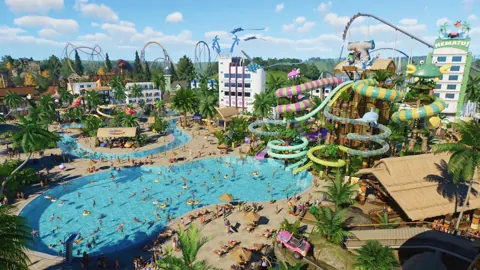
Combine swimming pools and twisting water flumes with your coaster park. Keep the waterpark side running with lifeguards, changing rooms, shade, and sunscreen.
Swimming Pools
Build swimming pools alongside coasters and other attractions within the same park.
Water Flumes
Use piece-by-piece construction to design twisting water flumes.
Lifeguards
Provide lifeguards as part of caring for guests in your waterpark.
Poolside Amenities
Provide changing rooms, shade, and sunscreen to support guests in and out of the pool.
Build roller coasters piece by piece and customize rides with scenery and objects. Combine coasters, thrill rides, and water attractions to shape your park's lineup.
Coaster Construction
Construct roller coasters using piece-by-piece building tools.
Ride Customization
Attach scalable scenery and objects to rides to create themed attractions.
Attraction Mix
Combine roller coasters, thrill rides, swimming pools, and water flumes in one park.
Keep your budget, attraction power, and guest needs in view as your park grows. Use heat maps and individual guest feedback to see where visitors need more attention.
Budget Management
Balance spending with the attractions and amenities you provide.
Attraction Power
Manage efficiently powered attractions as part of operating your park.
Heat Maps
View heat maps to understand needs across the wider park.
Guest Groups
Select a guest to inspect how they and their immediate group are enjoying the park.
Take turns building a shared Sandbox park or collaborate with friends in Franchise Mode. Explore other players' parks in first person and compete on worldwide leaderboards.
Shared Sandbox
Take turns working on a park through a shared cross-platform save in Sandbox Mode.
Download community creations or share the attractions and parks you have built. The cross-platform Frontier Workshop supports coasters, rides, and complete theme parks.
Coasters and Rides
Upload your coasters and rides for other players to download.
Complete Parks
Share entire theme parks and download parks created by other players.
Cross-Platform Access
Access the cross-platform Frontier Workshop both in-game and online.
Check your processor, graphics card, memory, and storage against the Windows requirements. Both listed specifications call for 16 GB RAM, DirectX 12, and 25 GB of available space.
Minimum CPU and OS
Windows 10 64-bit (22H2), with an Intel i5-6600K or AMD Ryzen 5 2600 processor.
Minimum Graphics
NVIDIA GeForce GTX 1060 with 6 GB VRAM, AMD Radeon RX 5600 XT with 6 GB VRAM, or Intel Arc A750 with 8 GB VRAM.
Recommended CPU and OS
Windows 10 or 11 64-bit, with an Intel i7-10700K or AMD Ryzen 7 5800 processor.
Recommended Graphics
NVIDIA GeForce RTX 2070 Super with 8 GB VRAM, AMD Radeon RX 6700 XT with 12 GB VRAM, or Intel Arc A770 with 16 GB VRAM.
Memory and Storage
Both specifications list 16 GB RAM, DirectX 12, and 25 GB available storage; an SSD is recommended at minimum and required for the recommended specification.
Build roller coasters, swimming pools, water slides, paths and themed scenery, then manage the park around your guests.
Does Planet Coaster 2 support real-time co-op?
Shared Sandbox parks use turn-based building rather than simultaneous editing. Franchise Mode lets friends collaborate across their parks.
How do I share Planet Coaster 2 creations?
Use Frontier Workshop to upload rides, blueprints and complete parks, or download creations shared by other players. Workshop sharing works across platforms.
What PC hardware does Planet Coaster 2 require?
The Steam edition requires a 64-bit Windows PC, 16 GB RAM and 25 GB of available storage. Check the full minimum and recommended CPU and GPU specifications before installing.
Ready to Build Your Dream Park?
Explore coaster building, water parks, paths, and park management. Start with the essentials, then bring your own themed creations to life.